
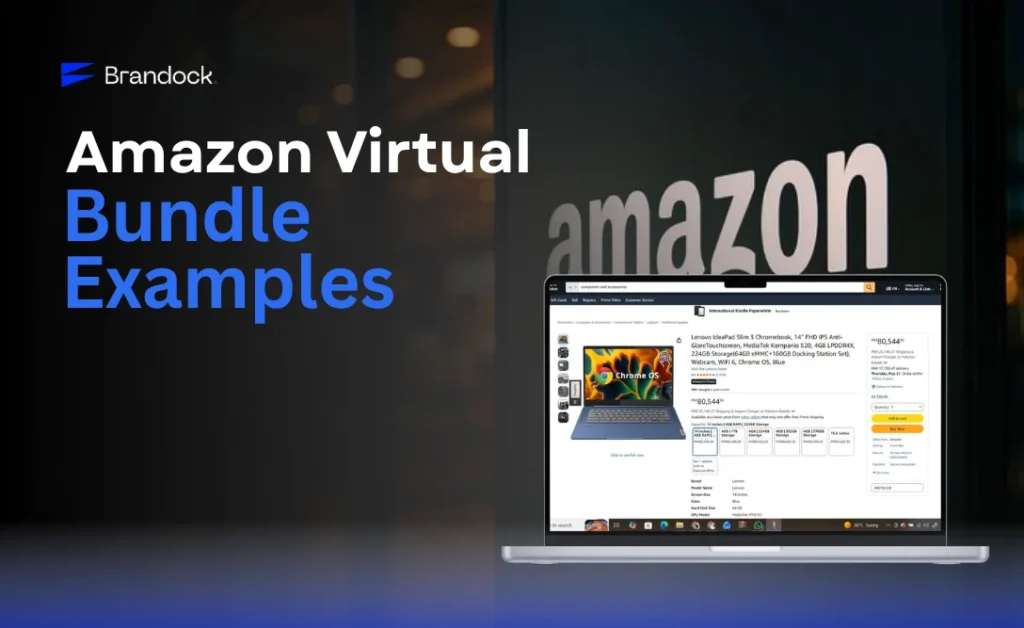
Your product is great. Your price is competitive. But your sales are still flat. Sound familiar?
The problem might not be your product. It could be how you’re presenting it. Amazon virtual bundles let you combine two to five products into one irresistible offer, without touching your inventory or packing a single extra box.
In this guide, Brandock, Your Partner for Amazon Automation, breaks down the best Amazon virtual bundle examples by category, explains how they work, and shows you exactly how to use them to grow your average order value and rank higher in search.
An Amazon virtual bundle is a listing that groups 2–5 complementary products into a single purchase, without physical repackaging. Sellers create them through Amazon Seller Central. Shoppers buy all items in one click. Bundles help increase average order value, improve product visibility, and create strong cross-selling opportunities on Amazon.
What is an Amazon Virtual Bundle?
If you sell on Amazon, you already know that standing out is tough. A virtual bundle gives you a smarter way to compete by combining products that naturally belong together.
How do Amazon Virtual Bundles Work?
Amazon virtual bundles let you create a new product listing that groups 2–5 existing ASINs together. The shopper sees one combined offer. They pay one price. Amazon ships each item separately from its own inventory.
There is no physical repackaging involved. You do not create a new SKU in your warehouse. The bundle only exists as a digital listing in Seller Central, which is exactly why it’s called a virtual bundle.
Here’s the basic flow:
- A shopper finds your bundle listing in an Amazon search.
- They click ‘Add to Cart’ and check out as normal.
- Amazon fulfills each item separately from your existing FBA inventory.
- Your sales velocity increases across all included ASINs.
What Types of Products can be in an Amazon Virtual Bundle?
You can pair almost any complementary products, as long as they meet Amazon’s eligibility rules. Common combinations include:
- Main product + accessory (e.g., a yoga mat + foam roller)
- Starter kits (e.g., skincare cleanser + toner + moisturizer)
- Themed gift sets (e.g., coffee mug + coasters + a journal)
- Volume-based combos (e.g., two units of the same supplement)
The key rule: all products must be FBA-fulfilled and brand-registered under your brand. We’ll cover eligibility rules in detail in the creation section.
Why do Amazon Virtual Bundles Increase Sales?
Bundles aren’t just a nice feature. They are a proven strategy for growing revenue without increasing your ad budget. Here’s why they work.
Higher Sales and Increased Average Order Value
Every bundle sale generates revenue from multiple ASINs in a single transaction. Instead of one customer buying a $15 product, they buy a $38 bundle. Your average order value (AOV) climbs, and so does your profitability per customer.
According to McKinsey, product bundling is one of the most effective strategies for increasing cart value in e-commerce. Amazon sellers who implement smart bundles consistently report 20–40% higher AOV compared to single-product listings.
Better Product Visibility in Amazon Search
When a customer searches for one of the products in your bundle, your bundle listing can appear in the results. This gives each included ASIN an extra shot at visibility.
Bundles with strong sales velocity also contribute to the organic ranking of individual ASINs. As your bundle sells, each product’s search position improves, at no extra cost. This directly supports your Amazon PPC strategy.
Stronger Cross-Selling Opportunities
Virtual bundles let you introduce shoppers to products they might not have discovered on their own. If someone searches for a baby shampoo and your bundle includes a matching baby lotion, you have just made a cross-sell without any extra marketing effort.
This is one of the most underused e-commerce bundle strategies on the platform and one of the most effective.
Competitive Advantage Through Product Pairing
A well-paired bundle is hard to copy. Competitors can price-match your single products easily. But a unique bundle with the right combination, great images, and an optimized title creates a listing that stands on its own.
Brandock has helped multiple brands use bundles to differentiate in crowded categories. In one case, a home goods brand went from flat sales to a consistent growth trajectory after restructuring its listings around smart bundles.
How to Create an Amazon Virtual Bundle?
Creating a bundle is easy once you know the eligibility rules. Follow these steps exactly, and you’ll have your first bundle live within an hour.
Step 1: Access the Bundle Tool in Seller Central
Log in to Amazon Seller Central. In the top navigation, go to Catalog → Add Products → Virtual Bundles. If you don’t see this option, verify that your Brand Registry status is active.
Step 2: Choose Your Anchor ASIN and Complementary Products
Your anchor ASIN is the primary product, the one shoppers are most likely searching for. Build around it. Choose complementary products that solve a related problem or complete the customer’s purchase naturally.
For example, if your anchor ASIN is a beard trimmer, your complementary products might be a beard oil and a styling comb. Each item makes the others more useful.
Step 3: Set Pricing and Optimize Your Listing
Set a bundle price that is slightly lower than the sum of the individual items. This creates a clear value incentive without destroying your margins.
Listing optimization checklist for your bundle:
- Title: Include your primary keyword and highlight the combination. Example: ‘Yoga Starter Kit, Non-Slip Mat, Foam Roller & Resistance Bands’
- Images: Show all products together in the hero image. Include a lifestyle image demonstrating the full set in use.
- Bullet points: Lead with the bundle’s combined value, not individual product features.
- A+ Content: Use your Amazon A+ Content slot to explain why these products work better together.
Who can Create Amazon Virtual Bundles?
You must meet all of the following conditions:
- You must be a brand-registered seller on Amazon.
- Your products must be fulfilled by Amazon (FBA). FBM sellers are not eligible.
- You must be the brand owner, not a reseller of someone else’s brand.
- Your account must be in good standing (no policy violations).
ASIN and Inventory Eligibility Rules
Before you build your bundle, check each ASIN against these requirements:
| Rule | Requirement |
|---|---|
| Fulfillment type | FBA only, no FBM or Seller-Fulfilled Prime |
| Brand ownership | All ASINs must belong to your registered brand |
| ASIN condition | New condition only, not used, refurbished, or collectible |
| Product type | Physical products only, no digital goods or gift cards |
| Bundle size | 2 to 5 ASINs per bundle |
| Inventory | All items must be in stock at the time of bundle creation |
Amazon will reject your bundle submission if any ASIN fails these checks.
How do You Measure Virtual Bundles on Amazon?
Measuring Amazon Virtual Bundles can be difficult because Amazon offers limited analytics specifically for bundles. Seller Central doesn’t clearly distinguish between bundle sales and individual SKU sales, making performance tracking more difficult.
Here is how sellers usually measure bundle performance:
- Track the bundle ASIN and SKU: Every virtual bundle has its own ASIN and SKU. Use Business Reports in Seller Central to monitor traffic, sessions, and conversion rates for the bundle listing.
- Monitor Average Order Value (AOV): Successful bundles often increase AOV since customers purchase multiple products together.
- Use Brand Analytics: Identify products frequently bought together and evaluate whether your bundle combinations are attracting demand.
- Watch for cannibalization: Compare individual product sales before and after launching bundles to see whether bundle purchases are reducing standalone sales.
- Track profitability closely: Calculate total COGS, Amazon fees, FBA charges, shipping, and storage costs to ensure the bundle remains profitable.
- Continuously test and optimize: Experiment with different product combinations, pricing, titles, and images to improve performance over time.
Amazon Virtual Bundle Examples for Electronics
The best way to understand what works is to look at real examples. Here are proven virtual bundle combinations across the most popular Amazon categories.
Amazon Virtual Bundle Examples for Electronics
Electronics buyers almost always need accessories. Bundles in this category convert well because they eliminate the hassle of multiple searches.
- Wireless earbuds + charging case + ear tip replacement set
- USB-C hub + laptop stand + cable organizer
- Ring light + phone holder + remote shutter
- Webcam + microphone + LED desk light, popular for remote workers
The key to electronics bundles: make sure every accessory in the bundle is compatible with the anchor product. Mismatches hurt reviews fast.
Amazon Virtual Bundle Examples for Beauty Products
Beauty is one of the highest-performing categories for bundles. Shoppers naturally seek complete routines, not single products.
- Vitamin C serum + SPF moisturizer + under-eye patches, morning routine kit
- Shampoo + conditioner + hair mask, weekly repair bundle
- Foundation brush + blending sponge + setting spray
- Lip liner + lipstick + lip gloss, matching shade set
If you sell beauty products on Amazon, your product listing quality directly impacts how your bundle converts. Bundle images need to show the full set styled together.
Best Amazon Virtual Bundle Examples for Home Goods
Home goods shoppers love themed bundles. Gifting is a major driver in this category, so lean into it.
- Scented candle set + matchbox + candle snuffer
- Bamboo cutting board + knife sharpener + kitchen towel
- Bedsheet set + two pillowcases + mattress protector
- Essential oil diffuser + 6-pack of oils + timer remote
Brandock worked with a home goods partner who used themed bundle listings to increase their monthly revenue consistently. You can read the details in our FBA wholesale case study.
Amazon Virtual Bundle Examples for Books
Books can absolutely be bundled, especially complementary titles in a series or topic cluster.
- Volume 1 + Volume 2 + Volume 3 of a series
- Beginner cooking book + advanced techniques book + recipe card set
- Self-help book + accompanying journal + pen set
- Children’s storybook + coloring activity book + crayons
The rules still apply: all items must be your branded ASINs. Reselling third-party books in a bundle is not permitted under Amazon’s policy.
Amazon Virtual Bundle Examples for Kids' Toys
Parents are busy. They love ready-made gift bundles. This category has enormous bundle potential, especially around holidays and birthdays.
- Play-dough set + molds + activity cards
- Board game + card game + puzzle, a rainy day bundle
- Art kit + watercolor set + sketchbook
- Sensory toy + fidget tool + visual timer, especially popular for neurodivergent kids
When you target seasonal gift searches like ‘birthday gift for 5-year-old boy,’ a well-built bundle listing has a real shot at ranking.
Amazon Virtual Bundle Examples for Small Businesses
f you run a smaller Amazon operation, virtual bundles for small businesses are a low-risk way to test product combinations before committing to physical multipacks.
- Branded merchandise starter pack, mug + tote + pen
- Candle-making kit, wax + wicks + fragrance oil + containers
- Craft seller bundle, 3 complementary handmade-style product listings
Bundles let you test what your audience actually wants to buy together, with zero extra inventory investment. That’s a significant advantage for smaller sellers still learning their market.
Examples of Successful Amazon Virtual Bundles
Theory is useful. But real results are more convincing. Here are patterns Brandock, automation-driven Amazon growth partner, has observed across successful bundle strategies.
| Bundle Type | Category | Why It Works | Typical AOV Lift |
|---|---|---|---|
| Skincare Routine Kit | Beauty | Addresses full routine, reduces decision fatigue | +35–50% |
| Home Office Starter Set | Electronics/Home | Targets the remote worker search intent | +40–60% |
| Sleep Improvement Bundle | Health/Wellness | Pillow + eye mask + white noise = complete solution | +30–45% |
| Kids' Birthday Gift Set | Toys | Gift-ready, targets 'gift for X age' searches | +25–40% |
| Beard Grooming Kit | Grooming | High repurchase, trimmer + oil + comb | +30–50% |
Broader E-commerce Bundle Inspiration
Amazon doesn’t own the bundling concept. Looking outside the platform can spark ideas. Fashion retailers bundle outfits (top + bottom + shoes at a combined discount), gaming retailers pair consoles with controllers and games on launch day, and fitness brands package resistance band sets with workout guides.
The three core bundle strategies that translate well to Amazon:
- Pure bundling — products only available as a set, creating exclusivity.
- Mixed bundling — products available individually and as a bundle. This is the most common approach on Amazon.
- Cross-category bundling — pairing products from different categories that serve the same customer journey.
When marketing your bundle, lead with the combined outcome, not individual features. “Complete morning skincare routine” beats “Vitamin C serum + moisturizer.” Use lifestyle imagery showing the full set in context, and always highlight the value gap, worth $52 individually and bundled at $38.
Are Amazon Virtual Bundles Worth It?
Short answer: yes, if you approach them correctly. Here’s the honest breakdown.
Benefits of Amazon Virtual Bundles
- Zero extra inventory cost — no repacking, no new SKUs. Your existing FBA stock fulfills the order.
- No additional ad spend required — one transaction moves multiple products without separate campaigns for each.
- Gift market access — bundles appear naturally in gift-intent searches, a segment that’s difficult to reach with single listings.
- Low-risk testing — you can create, pause, or replace bundles without warehouse changes or stranded inventory.
Disadvantages of Amazon Virtual Bundles
- Brand Registry required: If you’re not brand-registered, you can’t create bundles.
- FBA only: FBM sellers are excluded entirely.
- All items must stay in stock: If any ASIN runs out, the bundle becomes unavailable.
- Separate fulfillment: Each item ships individually, and the customer gets multiple packages.
- Limited bundle size: You are capped at 5 ASINs per bundle.
When do Bundles Perform Better Than Single Products?
Bundles consistently outperform single-product listings in these situations:
- The category has a natural ‘starter kit’ or ‘routine’ purchase pattern.
- Your products are frequently bought together already (check your ‘Frequently Bought Together’ section).
- You’re competing in a category where price competition is intense, and a bundle shifts the comparison.
- You’re targeting gifting searches, birthdays, holidays, and housewarmings.
- You have slow-moving complementary SKUs that pair well with a bestseller.
Amazon Virtual Bundle Best Practices
Follow these practices, and your bundle listings will outperform the majority of what’s currently on Amazon.
Use High-Demand Products as Anchor Items
Your anchor ASIN carries the bundle’s traffic. Choose a product that already ranks well, has strong reviews, and drives consistent search volume. A weak anchor produces a weak bundle, no matter how good the complementary products are.
Focus on Customer Value Instead of Random Pairings
The worst bundles pair products just because the seller owns them both. The best bundles pair products because customers genuinely need both. Before building any bundle, ask: Would a customer logically buy both of these on the same day? If the answer is no, don’t build that bundle.
Test Different Bundle Variations
You’re not locked into your first combination. Create two or three versions of a bundle, vary the complementary products, adjust the price point, and test different hero images.
Track each bundle’s conversion rate and AOV over 30–60 days. Let the data decide which version wins. This is data-driven Amazon selling at its most practical.
Best Practices for FBA Sellers Specifically
FBA sellers have a specific advantage: fast Prime shipping on all bundle items. Leverage it.
- Monitor inventory levels weekly: A single out-of-stock ASIN kills the entire bundle.
- Include bestsellers: At least one high-velocity ASIN should be in every bundle.
- Align with seasonal demand: Create holiday or seasonal bundles 6–8 weeks before peak periods.
- Use Sponsored Products ads: Run targeted PPC campaigns on your bundle listing from day one.
Brandock’s Amazon account management team builds and monitors bundle strategies as part of our full-service operations. Your account stays fully yours, and we manage the execution.
Where to Find Amazon Virtual Bundle Examples?
You don’t need to invent your bundle strategy from scratch. Here’s where to look for proven inspiration.
Amazon Search and Best Sellers Pages
Type your main product keyword into Amazon’s search bar and add ‘bundle,’ ‘kit,’ or ‘set. Browse the results. Pay attention to:
- Which bundles have the most reviews? These are the proven concepts.
- How top sellers have structured their bundle titles.
- What price premium have they applied versus selling items individually?
Also check Amazon’s Best Sellers and Movers & Shakers pages in your category. High-velocity products are ideal anchor candidates.
Competitor Listings and Marketplaces
Look beyond Amazon. Check Walmart.com, Target, and eBay for bundle patterns in your niche. These platforms often test bundle concepts before Amazon sellers adopt them.
Also check Etsy, handmade sellers are expert bundlers and often surface creative combinations that translate well to physical product categories on Amazon.
Bundle Research Tools
Several tools can accelerate your research:
- Helium 10 Black Box: Filter for bundle listings and analyze their performance data.
- Jungle Scout: Use the Opportunity Finder to identify underserved bundle niches.
- Amazon’s ‘Frequently Bought Together’: This is Amazon’s own bundling data; use it.
- Brand Analytics (Seller Central): Available to Brand Registry sellers. Shows what customers search for before buying your products.
Common Restrictions and Limitations of Amazon Virtual Bundles
Before you start building, know what Amazon won’t allow.
Amazon Policy Restrictions
Amazon’s virtual bundle program has specific product-type exclusions:
| Restricted / Ineligible | Why |
|---|---|
| Products not in the Amazon Brand Registry | Brand Registry required for all bundle ASINs |
| FBM (Fulfilled by Merchant) products | FBA is mandatory for all items |
| Used, refurbished, or collectible items | New condition only |
| Digital products or gift cards | Physical items only |
| Products with active sales restrictions | Any ASIN under a restriction is ineligible |
| Bundles with more than 5 products | Hard cap at 5 ASINs per bundle |
Amazon can and does update these policies. Always check the Virtual Bundles Help page in Seller Central before creating new bundles.
Common Seller Mistakes About Amazon Virtual Bundles
- Pricing too high: If your bundle costs more than buying the items individually, no one buys.
- Poor anchor choice: Building a bundle around a slow-moving product doesn’t fix a visibility problem.
- No lifestyle imagery: Bundles without a compelling hero image showing all items together underperform consistently.
- Ignoring inventory sync: An out-of-stock bundle item makes the entire listing unavailable.
- Copy-pasting individual listing bullet points: Bundle bullet points must communicate combined value, not repeat individual product descriptions.
Editing and Updating Bundle Rules
You can edit an existing bundle listing through Seller Central. However, Amazon has restrictions on major edits, particularly changing the ASINs in an active bundle.
If you need to make significant changes, it is often cleaner to suppress the existing bundle, create a new one, and redirect your ads to the new listing.
Brandock’s account management service handles these transitions cleanly to minimize sales disruption.
Amazon Virtual Bundles: FAQs
No. Amazon’s virtual bundle program is exclusively available to FBA sellers. If you currently sell via FBM and want to use bundles, you’ll need to transition your relevant products to FBA first. Brandock’s FBA wholesale automation service can support that transition.
How many products can be in a bundle?
Amazon allows a minimum of 2 and a maximum of 5 products per virtual bundle. You cannot create single-item ‘bundles.’ You also cannot exceed 5 ASINs, even if your products would logically work better as a set of 6 or 7.
Yes. Bundle listings are eligible for Sponsored Products and Sponsored Brands advertising. This is one of the most effective ways to drive initial sales velocity on a new bundle. For best results, run ads targeting the anchor product’s main keywords and let the bundle’s additional value do the conversion work.
Yes, several. All products must be FBA-fulfilled, Brand Registry-enrolled, in new condition, and physically shippable. Digital products, gift cards, items with active restrictions, and products you don’t brand-own are all excluded. See the full restrictions table above for a complete breakdown.
Start Building Your First Amazon Virtual Bundle Today
Amazon virtual bundles are one of the few tools that increase revenue without increasing your ad spend. They improve product visibility, raise average order value, and help you stand out in competitive categories, all without touching your warehouse.
The sellers winning with bundles aren’t guessing. They are pairing the right products, pricing them strategically, and running focused ads from day one. That’s exactly how Brandock approaches bundle strategy for our partners.
If you want to identify your best bundle opportunities, optimize your existing listings, and build a data-driven Amazon operation from the ground up. Start with a free Amazon listing audit from Brandock. Your account stays yours fully. We handle the execution.
Ready to Build Your First Winning Bundle?
Brandock identifies your best bundle opportunities, optimizes the listings, and runs the ads, while your account stays yours fully.

 Generating Millions in
